Features for Real MCP Work
From model chat to native plugins, EoF MCP Studio gives macOS users the pieces needed to design, run, inspect, and reuse MCP workflows.
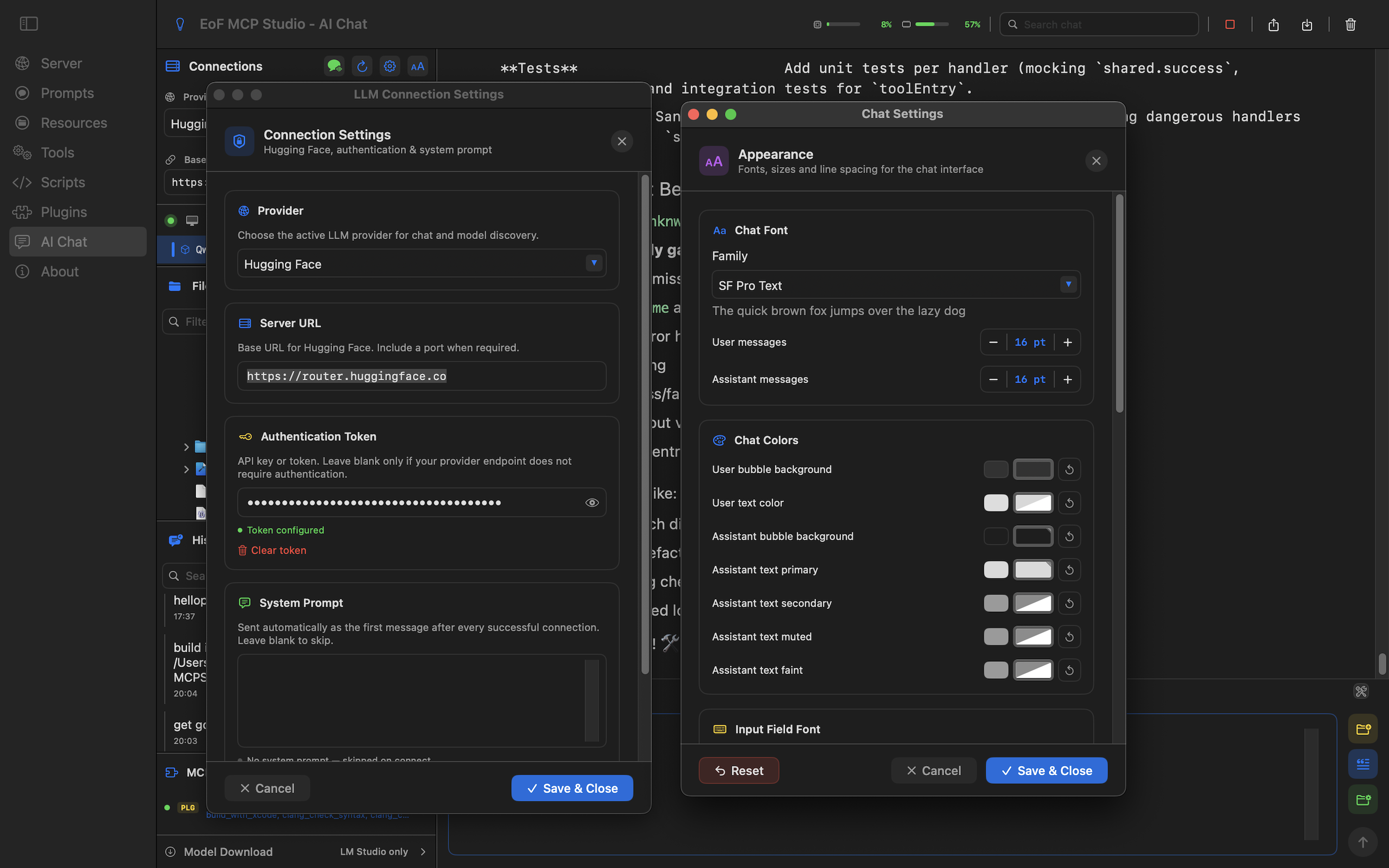
From model chat to native plugins, EoF MCP Studio gives macOS users the pieces needed to design, run, inspect, and reuse MCP workflows.
The main building blocks available in the current MCP Studio workflow.
Connect a provider, select a model, attach files, insert prompts and resources, choose skills, and export chat history.
Create reusable workflow bundles with instructions, trigger phrases, prompt templates, selected tools, and resources.
Design connected agent teams, validate generated drafts, execute saved flows, and inspect runtime reports.
Start and monitor the local server, configure host and port, manage auth tokens, and verify HTTPS certificates.
Publish useful actions with clear metadata, handler settings, input schemas, and output schemas.
Save reusable prompt templates for consistent model instructions across tools, chat, and skills.
Configure reusable context that can be exposed through MCP or inserted directly into AI Chat.
Write, test, and maintain JavaScript tool handlers with syntax highlighting and local execution.
Build or register native tool plugins as dynamic libraries or macOS bundles when scripts are not enough.
Grant, review, and remove sandbox file access for scripts, tools, resources, and AI Chat attachments.
Screens that show how the new feature set fits together.
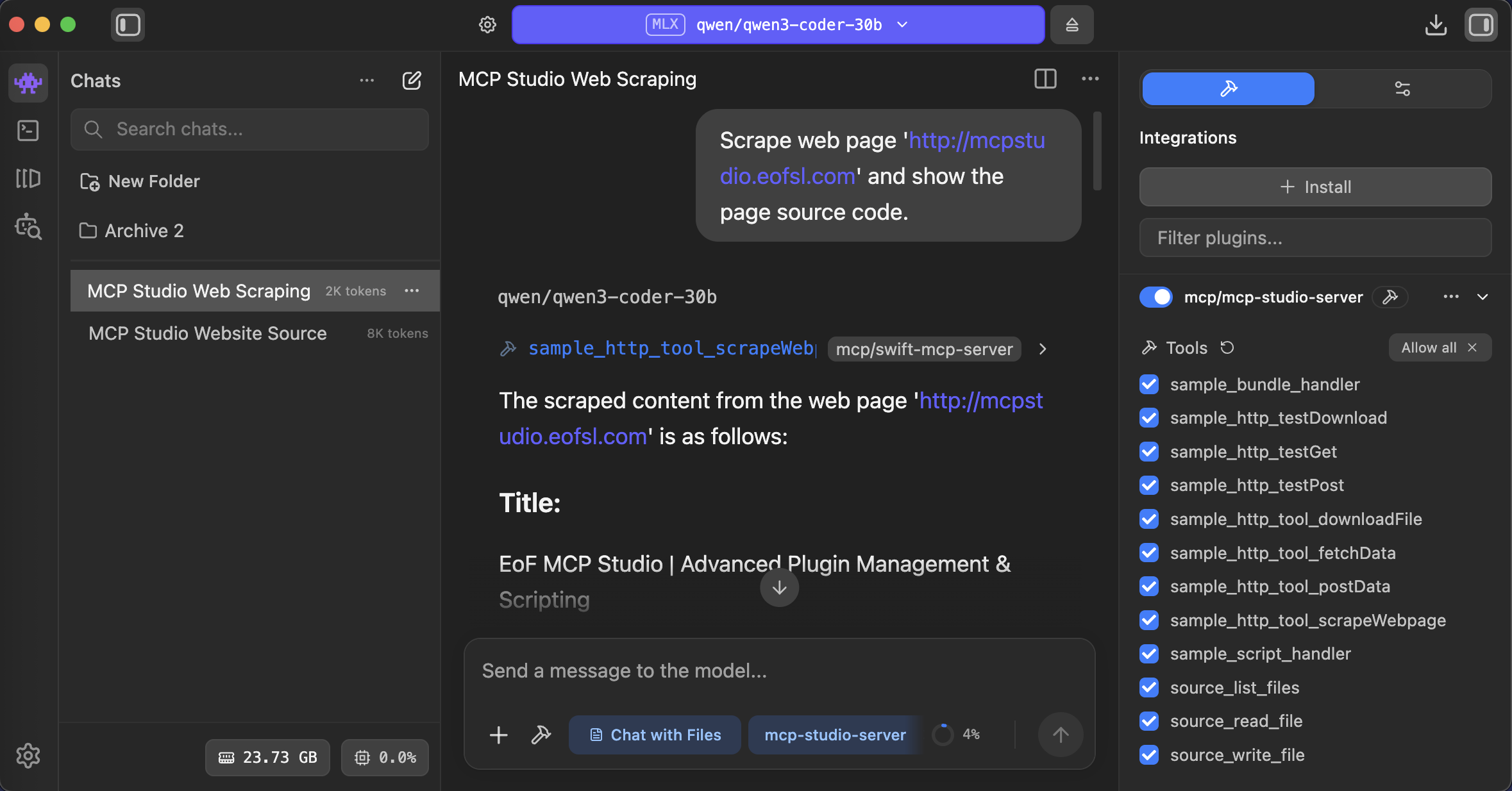
Connect LM Studio and keep local model experiments connected to the same MCP tools and context.
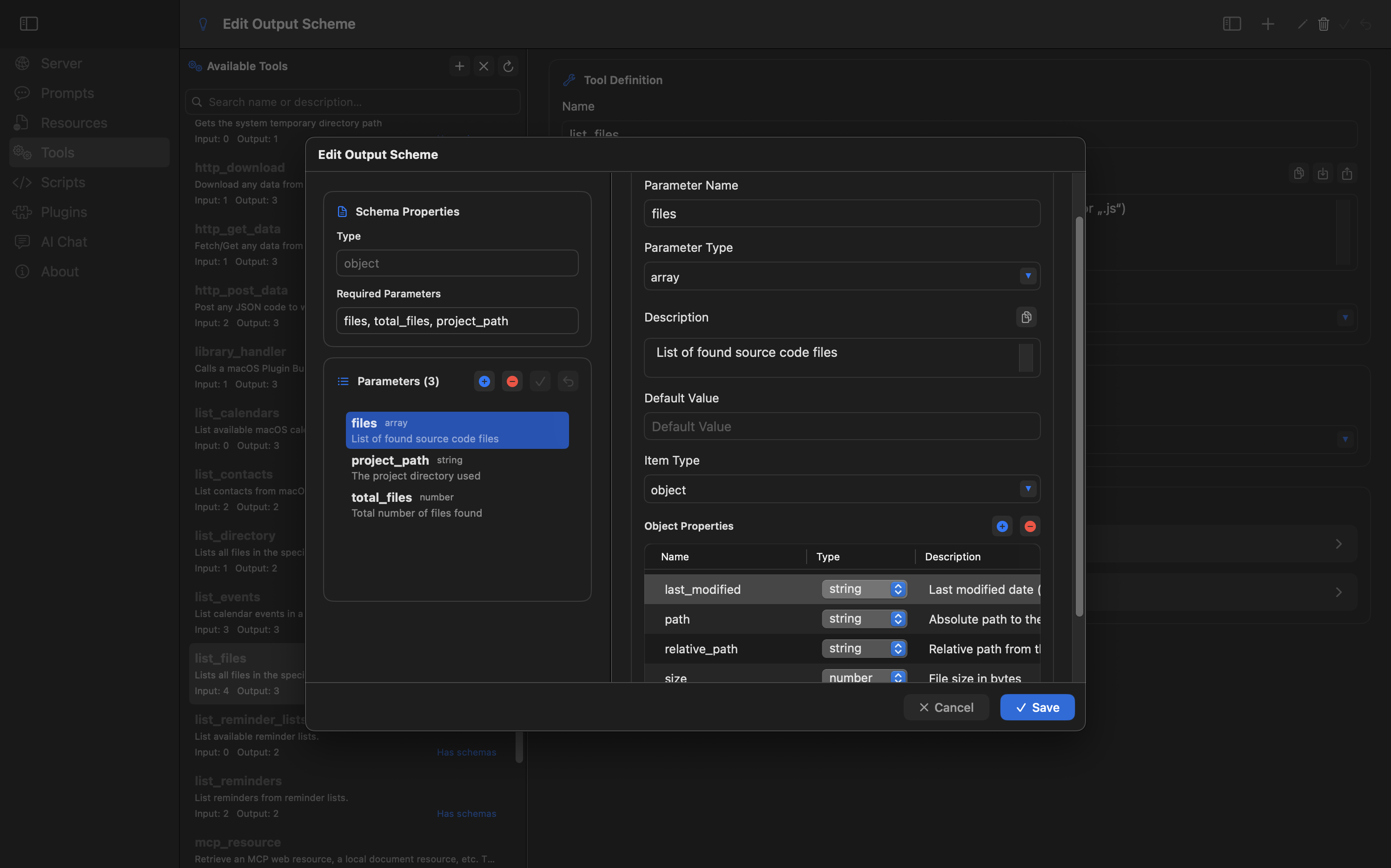
Shape reliable tool calls with explicit input and output schemas before exposing them to clients.
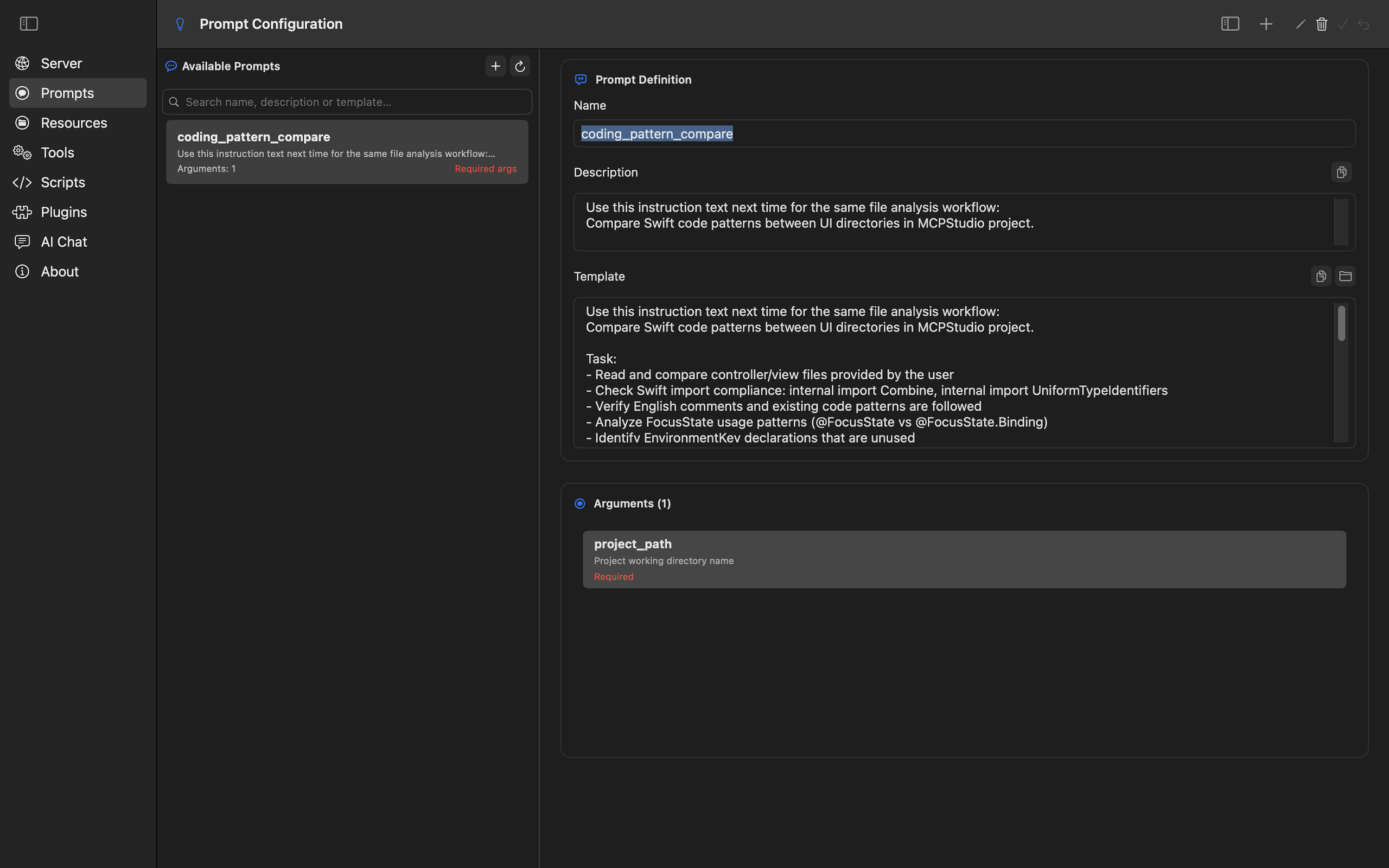
Keep prompts in one place and insert them into chat or workflow definitions when needed.
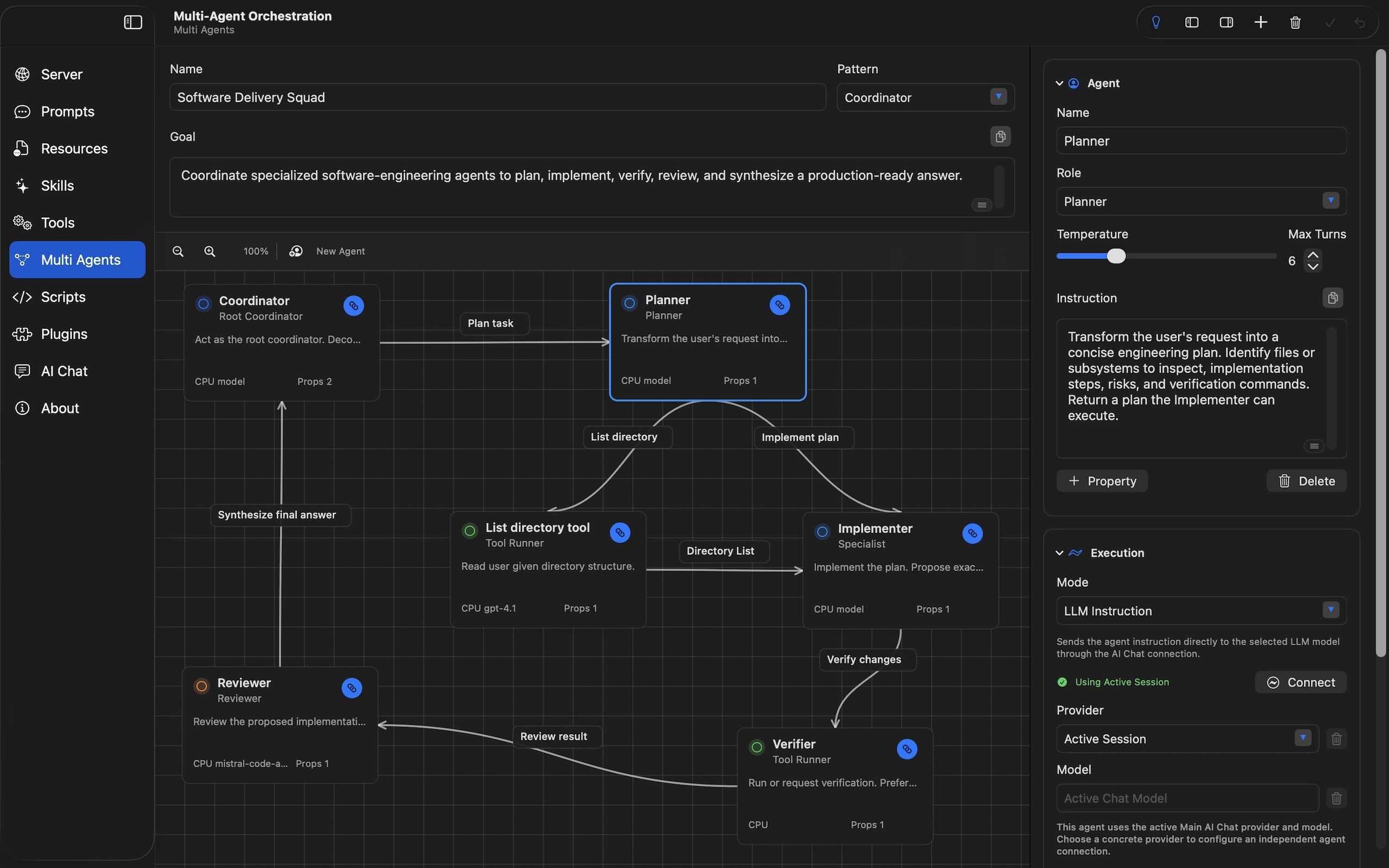
Connect coordinators, specialists, reviewers, and tool runners into saved workflows that AI Chat can execute.
The fastest path is to connect AI Chat, add one useful resource, then create a tool or skill from the pattern.